How to install Belgium eID software
Step 1: Go to the Academic Software page of Belgium eID.
Step 2: First install the standard eID software by clicking the download button on the right.
Step 3: Open the installer in your download folder.
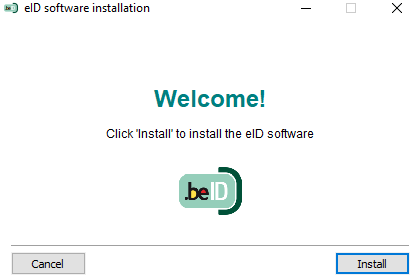
Step 4: Click on Install to start the installation.
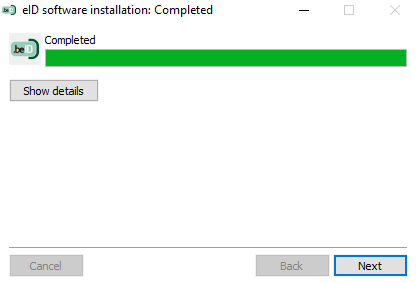
Step 5: Click on Next.
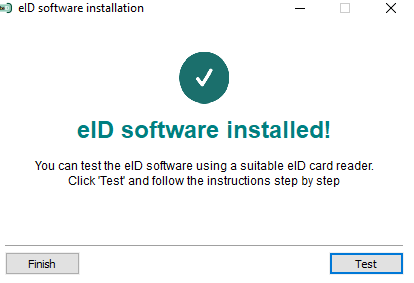
The software has been installed. Click on Test or Exit. You can now safely identify yourself using your eID and an (external) card reader.
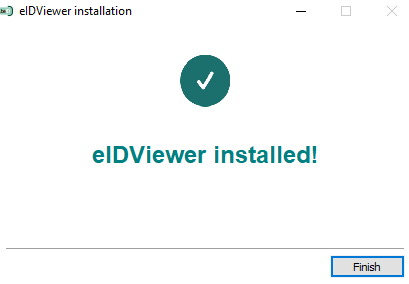
Install the eID Viewer
Note: you must first install the standard eID software before installing the eID Viewer.
Step 1: Go back to the Belgium eID page on Academic Software and choose 'Belgium eID Viewer' at the top right under 'Select version'.
Step 2: Click the download button on the right to start the download.
Step 3: Open the installer in your download folder.
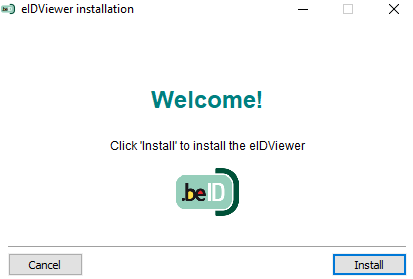
Step 4: Click on Install to start the installation.
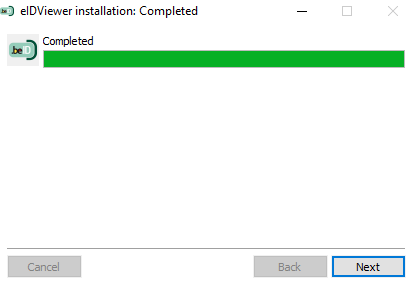
Step 5: Click on Next.
Step 6: Click on Exit. The software is installed and ready to use.